
Control your server from your phone, no extra apps needed
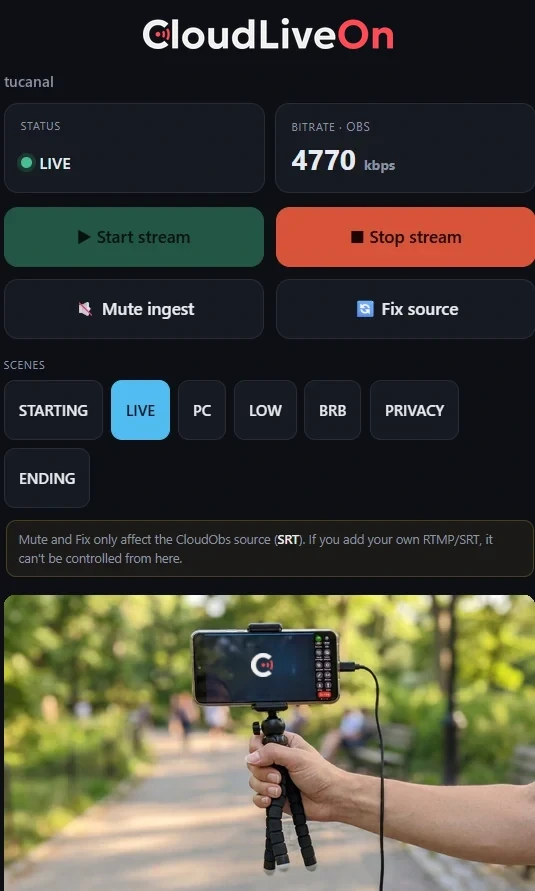
It is a web page behind a private link. Nothing to install, no username or password to remember in the middle of a stream.
The comfortable way to use it
Put it inside the app you already read chat with
These apps let you add a web page inside them. Drop your link in there and you read chat with your video and your bitrate right next to it. One screen, no app switching.
Android
Stream buddy
Reads Twitch, YouTube and Kick chat at once. Add your link as a page inside the app.
View on Google Play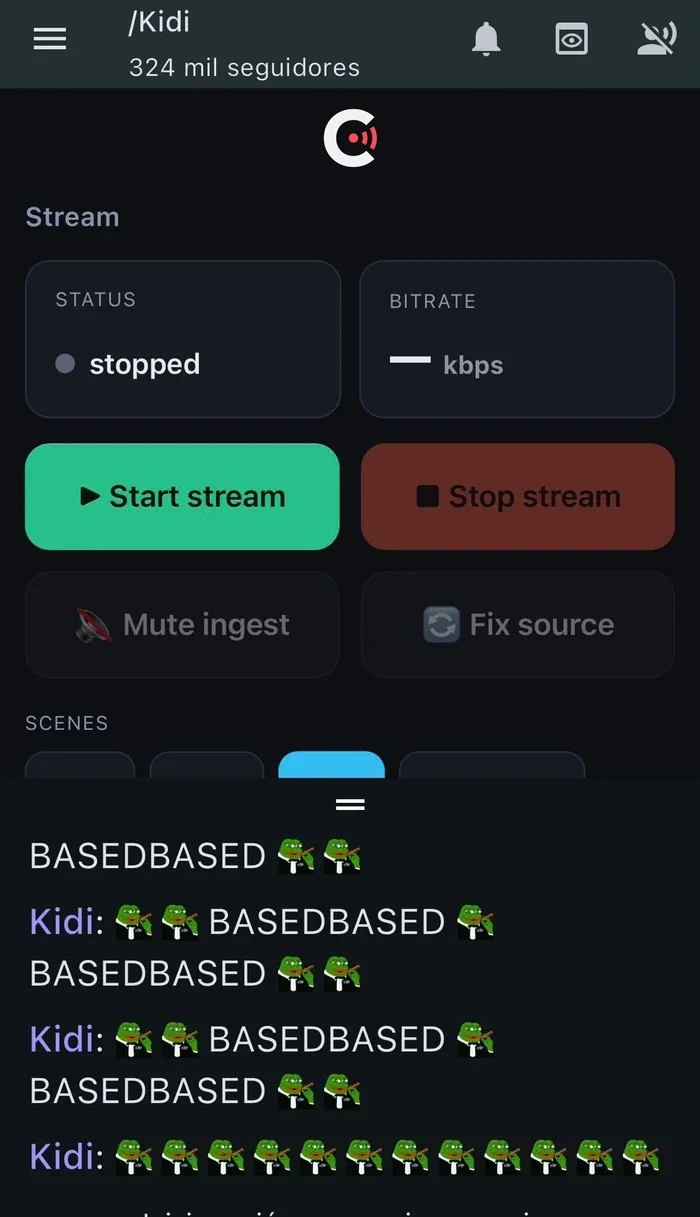
The urgent things, without going home
- See if you are live, and at what bitrate the first thing you want to know when something looks off
- See what is going out the same picture your audience is watching
- Switch scene to LOW, to BRB or back to LIVE, with one tap
- Mute cut the audio instantly
- Fix the video if the picture freezes, restart the source
- Start and stop the stream from wherever you are
With one condition, and we say it here: mute and fix act on the CloudObs source. If you add your own RTMP/SRT source to your scenes, that one cannot be controlled from the phone.
Your link is a key. Treat it like one: whoever has it can stop your stream. Do not show it on stream or leave it anywhere that ends up on camera. If it leaks, it can be regenerated and the old one stops working.
Included, from day one
Every CloudObs plan includes phone control. There is no cut-down version and no surcharge.
